The 5 Best AI Image Generators of 2026 (I Tested Them All)
In the ever-evolving landscape of digital content, the number of AI image generators has exploded, leaving many of us feeling a bit overwhelmed. It seems like a new tool promising photorealistic images and artistic masterpieces pops up every week. How do you cut through the noise and find the one that's actually right for you?
As a content creator who spends a lot of time in the world of AI, I decided to find out for myself. I spent several weeks putting the top AI image generators to the test, using the exact same prompts on each one to see how they really stack up. To keep things fair, I tested each tool using either the free version or the most basic paid plan available. This guide is the result of that deep dive: an honest, hands-on comparison to help you choose the best tool for your specific needs.
And here's the good news: four out of five of these tools have a free tier, so you can start creating without spending a cent!
The 5 Best Free (and Almost Free) AI Image Generators at a Glance
Tool | Paid Plan Starting Price | Free Tier | My Rating |
ChatGPT (GPT-4o) | $8/mo | Yes | 5/5 |
Midjourney | $10/mo | No | 4/5 |
Nano Banana Pro | $7.99/mo (Google AI Plus) | Yes | 3/5 |
Adobe Firefly | $13.39/mo | Yes | 3/5 |
Manus | $20/mo | Yes | 5/5 |
How I Tested These AI Image Generators
For the sake of comparing equally and to get a true sense of each tool’s capabilities, I developed a consistent testing methodology. My goal was to see how each generator handled a variety of common use cases, from creating realistic photos to rendering accurate text.
The Prompts I Used
I used the same four prompts across all five platforms:
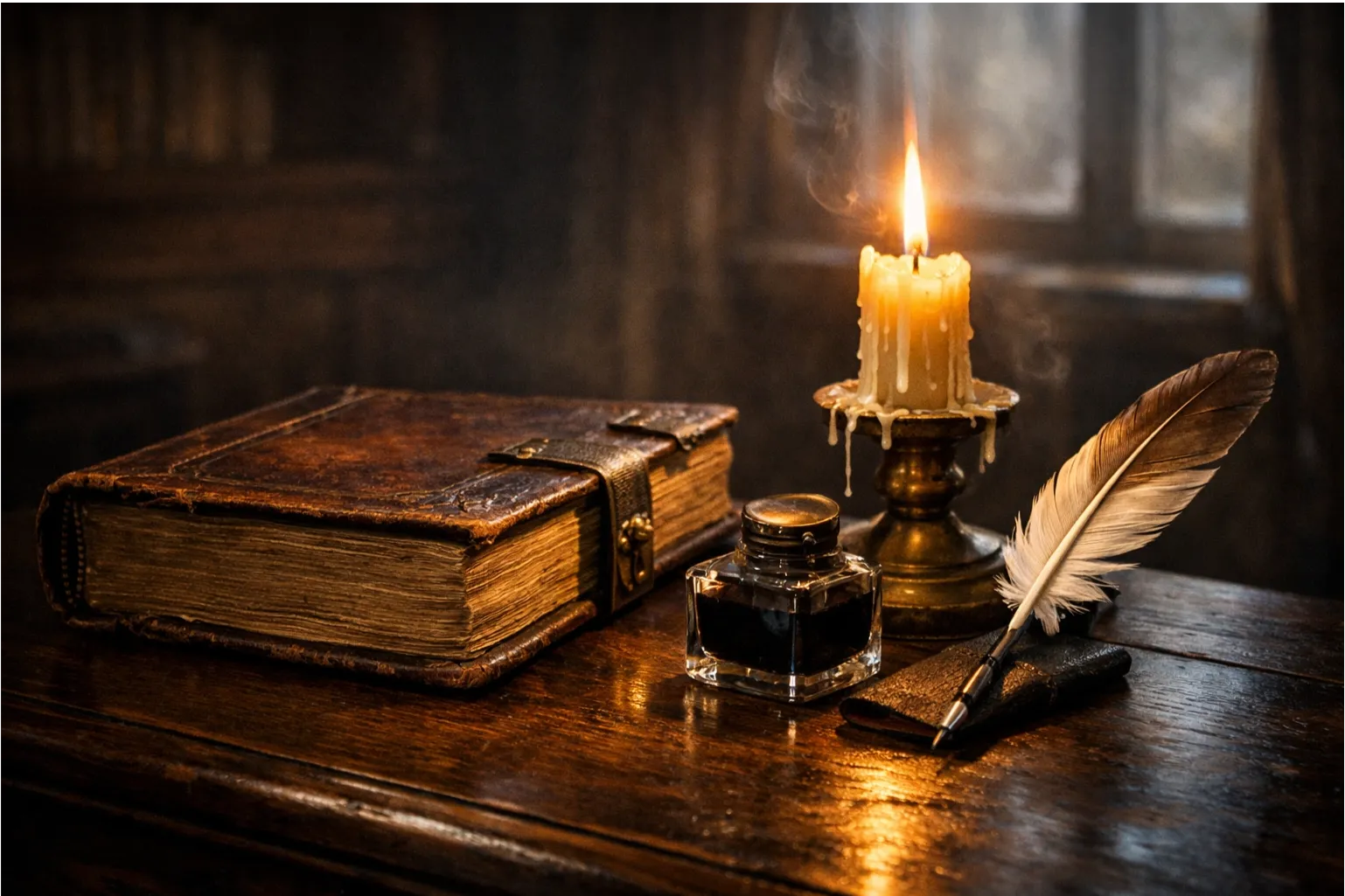
1.Photorealistic Test: "A photorealistic image of a vintage leather-bound book resting on a dark oak desk, with a lit candle dripping wax beside it. A quill pen and an inkwell are placed next to the book. The room is dimly lit, with light from a nearby window casting a soft glow on the scene."
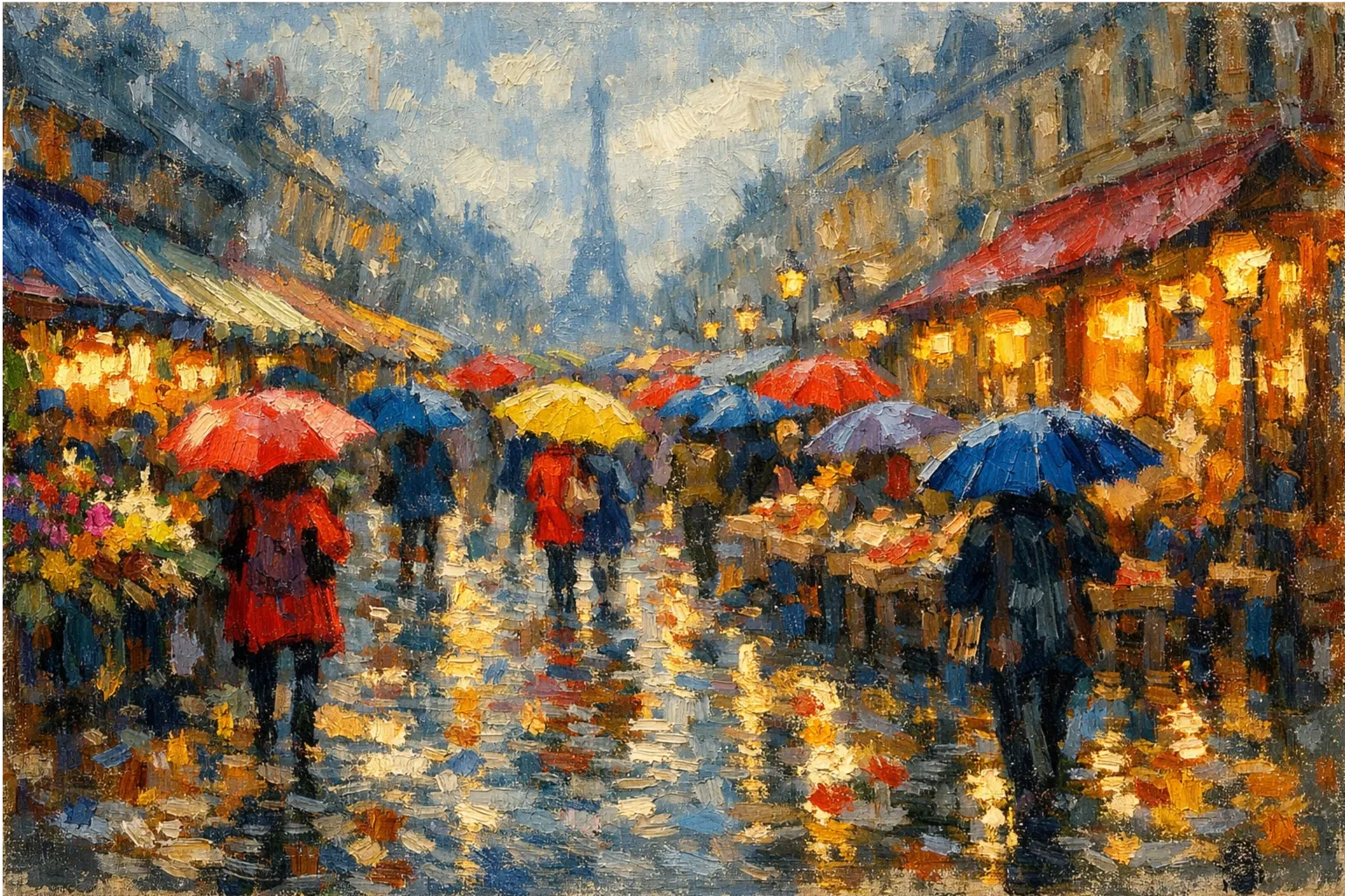
2.Artistic Style Test: "An impressionist oil painting of a bustling Parisian street market in the rain, with colorful umbrellas and reflections on the wet cobblestones."
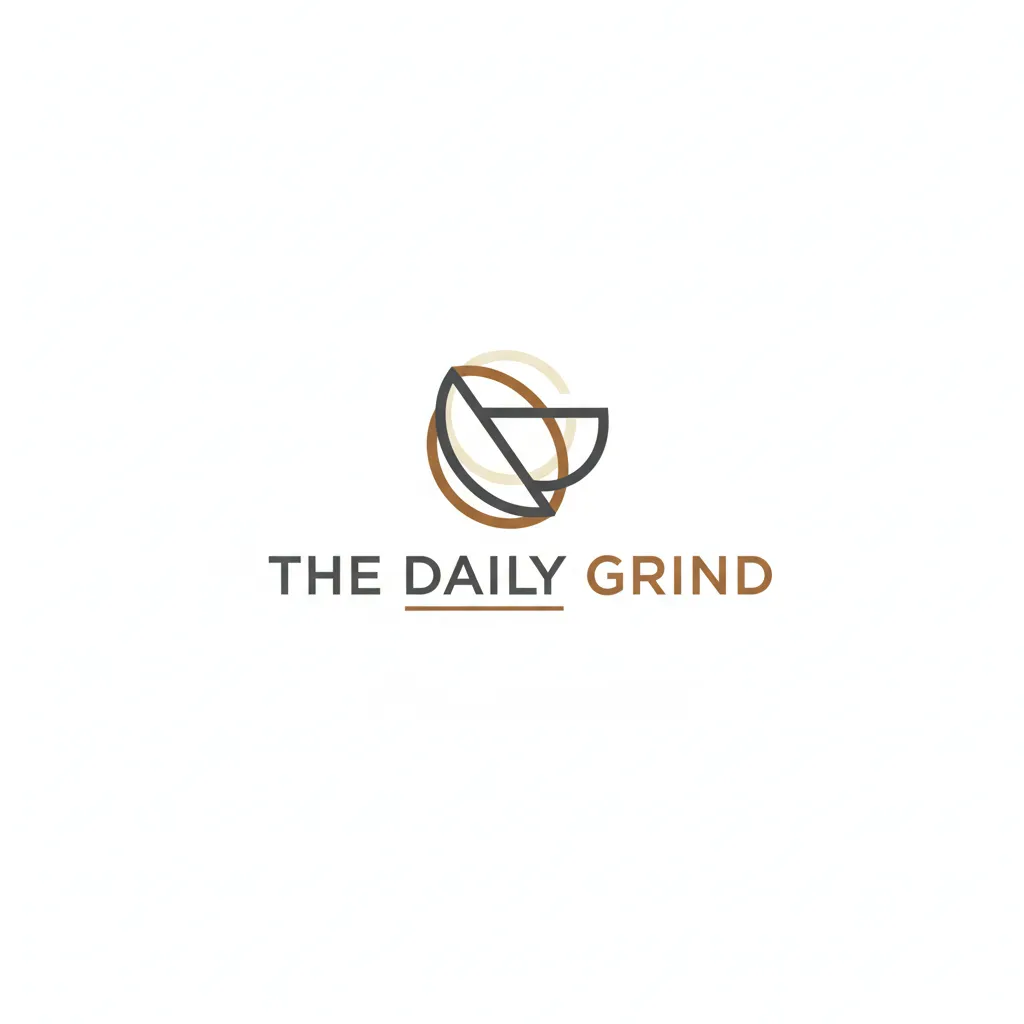
3.Text Rendering Test: "A modern, minimalist logo for a coffee shop named 'The Daily Grind', with the text clearly legible on a clean background."
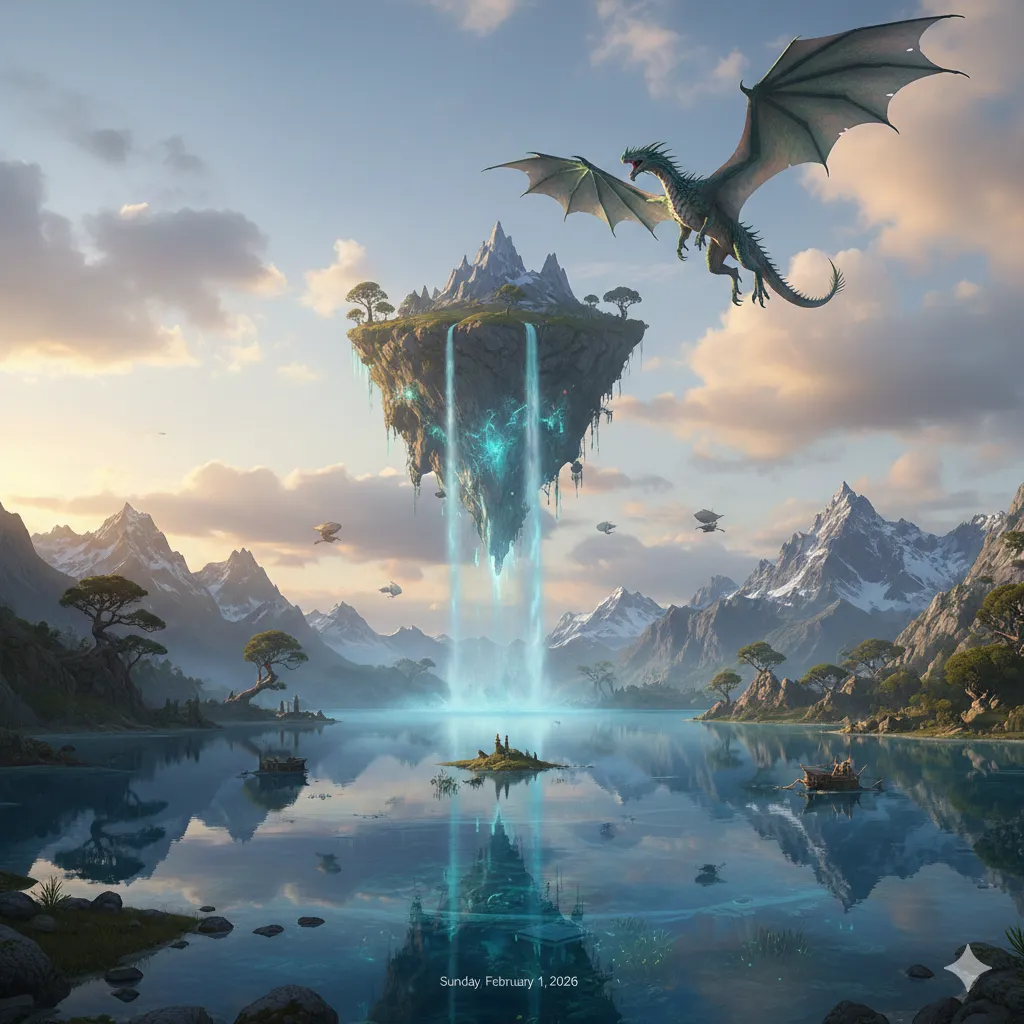
4.Complex Scene Test: "A wide-angle shot of a fantasy landscape with a floating island, a waterfall cascading into a crystal-clear lake, and a majestic dragon flying in the sky."
What I Evaluated
I judged the results based on a few key criteria:
•Prompt Accuracy: Did the generator include all the elements I asked for?
•Realism & Quality: How natural and polished did the final image look?
•Variety & Design: Did the tool offer creative options or just one generic result?
Now, let's dive into the detailed reviews of each tool!
1. ChatGPT (GPT-4o)
For anyone looking for an accessible and versatile AI image generator, ChatGPT is a fantastic choice. Its integration directly into the familiar chat interface makes it incredibly easy to start creating high-quality images without a steep learning curve.
Key Features
•Native integration with ChatGPT: No need for a separate app or Discord server; you can generate and refine images right in your conversation.
•Excellent prompt understanding: It’s great at interpreting complex prompts and iterating on them through natural conversation.
•Strong photorealistic and artistic capabilities: It can produce a wide range of styles with impressive quality.
•Easy image editing: You can ask for changes conversationally, like “make the book red” or “add another candle.”
My Experience Testing ChatGPT
The interface was very easy to use and navigate. Upon opening the web app, the basic GPT prompt box appeared, but a quick look at the tabs revealed an “Images” tab, so I clicked over to that. The interface changed to a light pink with several template styles to choose from, ranging from camcorder to animated neon fantasy to Norman Rockwell and more. There was also a “Discover something new” section which showed ideas that people might not have known GPT could do.
I thought clicking on these templates would transport you to the prompt box with an already typed-out prompt for you to customize. Instead, all of them prompted me to upload a picture, which didn’t make the most sense for ideas like “What does my future partner look like?” A bit confusing, but no big deal. I keyed in my prompt into the simple prompt box, which only had the option to attach other images.
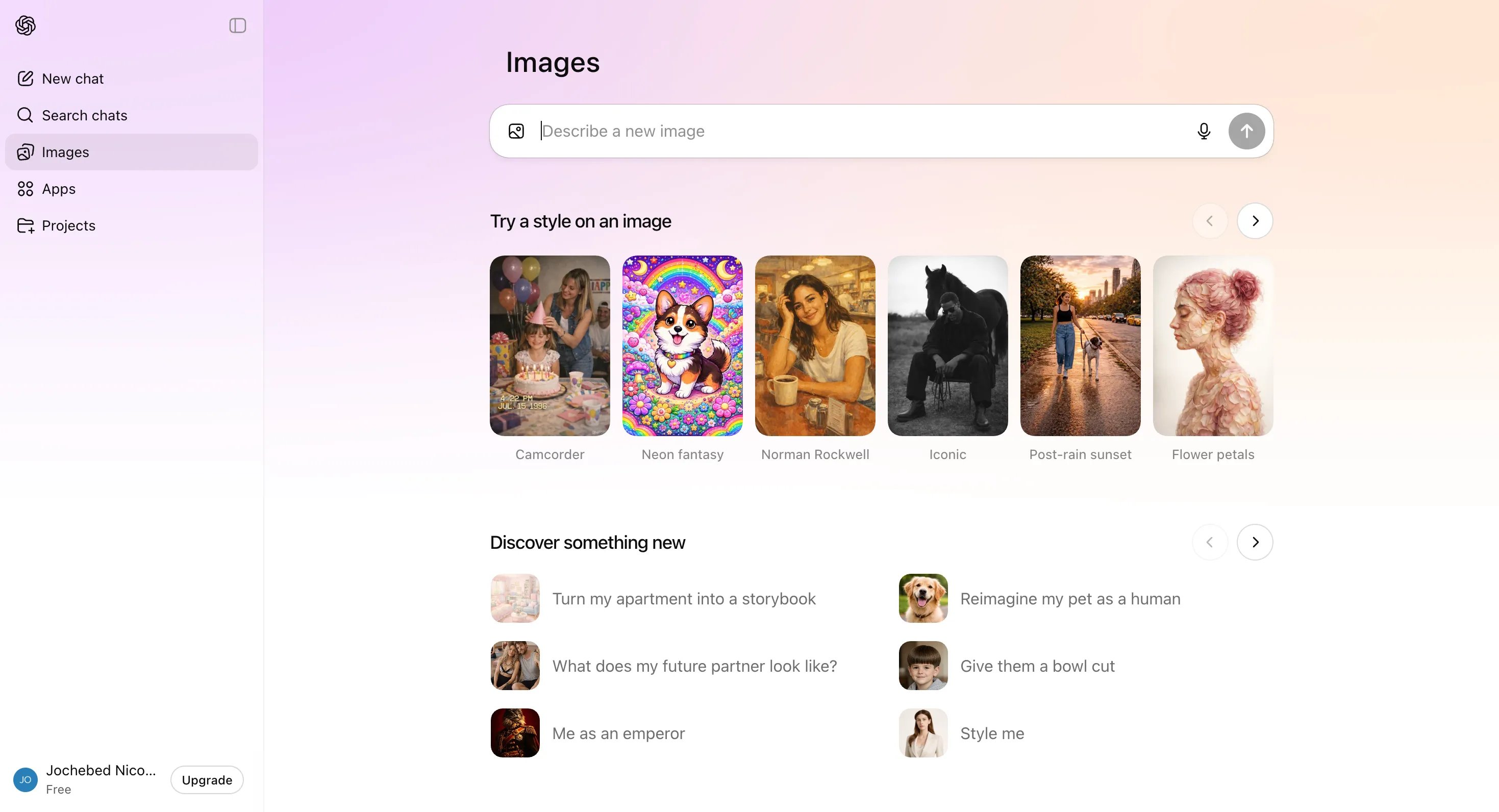
GPT got to work quickly and gave me 2 images to choose from: one square and one landscape. They were pretty similar but had some differences. For the sake of consistency, I tried to pick the landscape version.
The landscape version of my photorealistic book scene was stunningly realistic. It almost looked like a still from a movie! It captured every element of the prompt really well. The only qualm I had with the square picture was that the quill pen was not in the inkwell, and the leather-bound book seemed to be placed in the wrong direction. Nothing obviously wrong, but if we were to talk about realistic-looking, the landscape image nailed it.
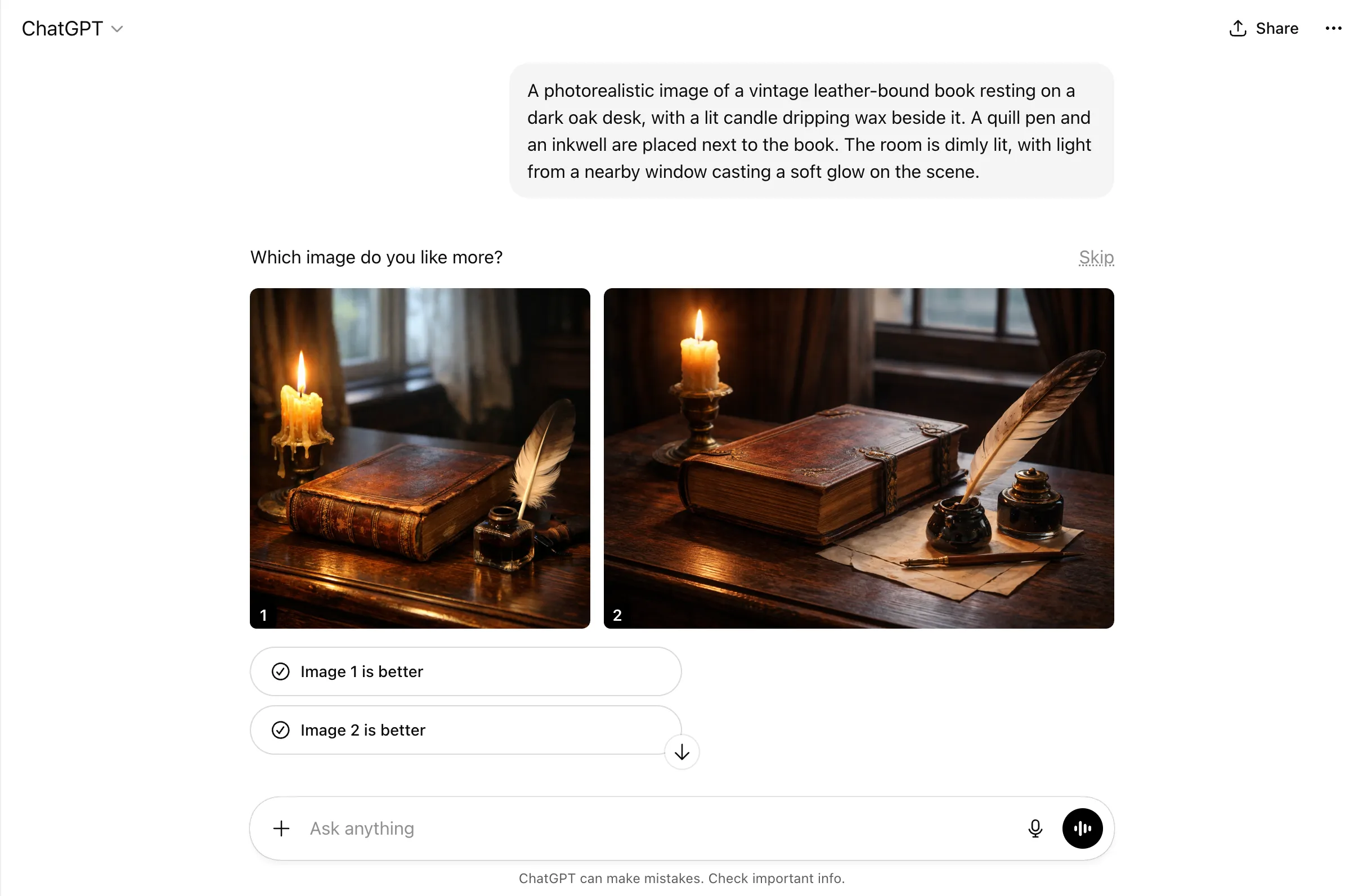
Testing out the other prompts, I was honestly impressed. They all did pretty well and the images generated relatively quickly. If I were to give any criticism at all, it would probably just be that the fantasy landscape could have been a bit more dynamic. But all things considered, all generated images were great. Compared to the other tools though, GPT didn’t seem like it had a lot of customizable options for the images. If you wanted to change anything about it, you’d probably have to prompt the model again, and who knows if that will change parts of the images that you wanted to remain. But overall, solid results!
What I Liked and What I Didn’t
Pros | Cons |
Very easy to use, even for beginners | Limited customization options before generating |
Great at following complex and detailed prompts | May need to re-prompt to make changes, which can alter other parts |
Conversational editing makes refinement intuitive | No advanced style or parameter controls |
Pricing
•Free Plan: Offers limited and slower image generation.
•ChatGPT Plus ($20/month): Includes expanded and faster image creation with GPT-4o.
•ChatGPT Pro ($200/month): Unlimited and faster image creation for power users.
2. Midjourney
If your goal is to create breathtaking, artistic, and highly stylized images, Midjourney is definitely worth considering. It has a well-deserved reputation among designers and artists for producing visually stunning output. While it’s the only tool on this list without a free plan, its quality is undeniable for those who prioritize aesthetics.
Key Features
•Exceptional artistic quality: Midjourney excels at creating beautiful, stylized images with a unique aesthetic.
•Style Reference (SREF): This powerful feature allows you to maintain a consistent style across multiple generations.
•Strong community and inspiration gallery: The Discord community is a great place to find inspiration and learn from other users.
•Advanced parameter controls: For advanced users, Midjourney offers detailed controls to fine-tune every aspect of the image.
My Experience Testing Midjourney
Midjourney opened up to a moving library of clips and videos, and they really showed off their range in terms of genre, style, and more. The library also had tabs to swap between videos, images, and styles. I saw extremely high-quality images from realism to artistic and animation, all touched upon. This gave me high hopes!
While trying to navigate to the create page to key in my prompts, it prompted me to subscribe to a plan. Midjourney had no free plan, so I just went for the most basic one. For starters, they had a tutorial video to explain how to create images and what Midjourney could do.
As expected, Midjourney had a comprehensive settings list to customize the image even before it was produced. You could pick your image size/aspect ratio, adjusting it with a bar in case the aspect ratio you had in mind did not fall within portrait, square, or landscape. When choosing the model, you could pick between Standard or Raw, and pick the version. I went with Standard for all and the default newest version: Standard 7.
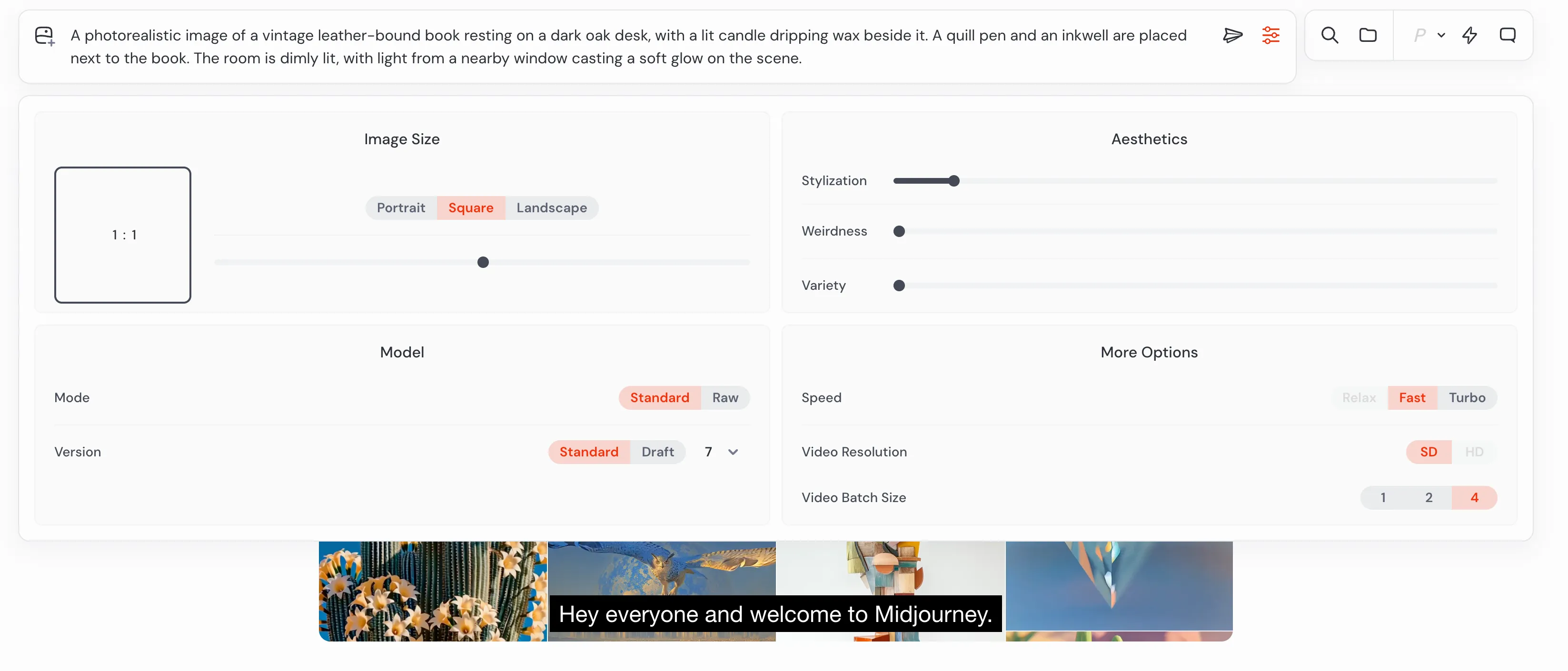
What was interesting was being able to choose aesthetics here, with sliding bars that let you choose how much stylization, weirdness, and variety there would be in the image generated. Interesting choice for criteria! You could also pick between speed of generation: relax, fast, or turbo. I thought relax meant the slowest, but apparently, you needed the Standard plan and higher to access that. On my Basic plan, I could also only click SD resolution and not HD.
Off we went. Midjourney created 4 variations of this image very quickly. They all looked very similar to each other. I picked the best one, which to me was the first image on the right. The rest had the elements, but if you focused on details, there were some things a bit off. Some of the elements were not where they were meant to be, or not natural, or not included in the prompt. For example, one had the quill pen on top of the book dripping ink from the feathered end onto the table. Similar issues appeared in the other 3 images.

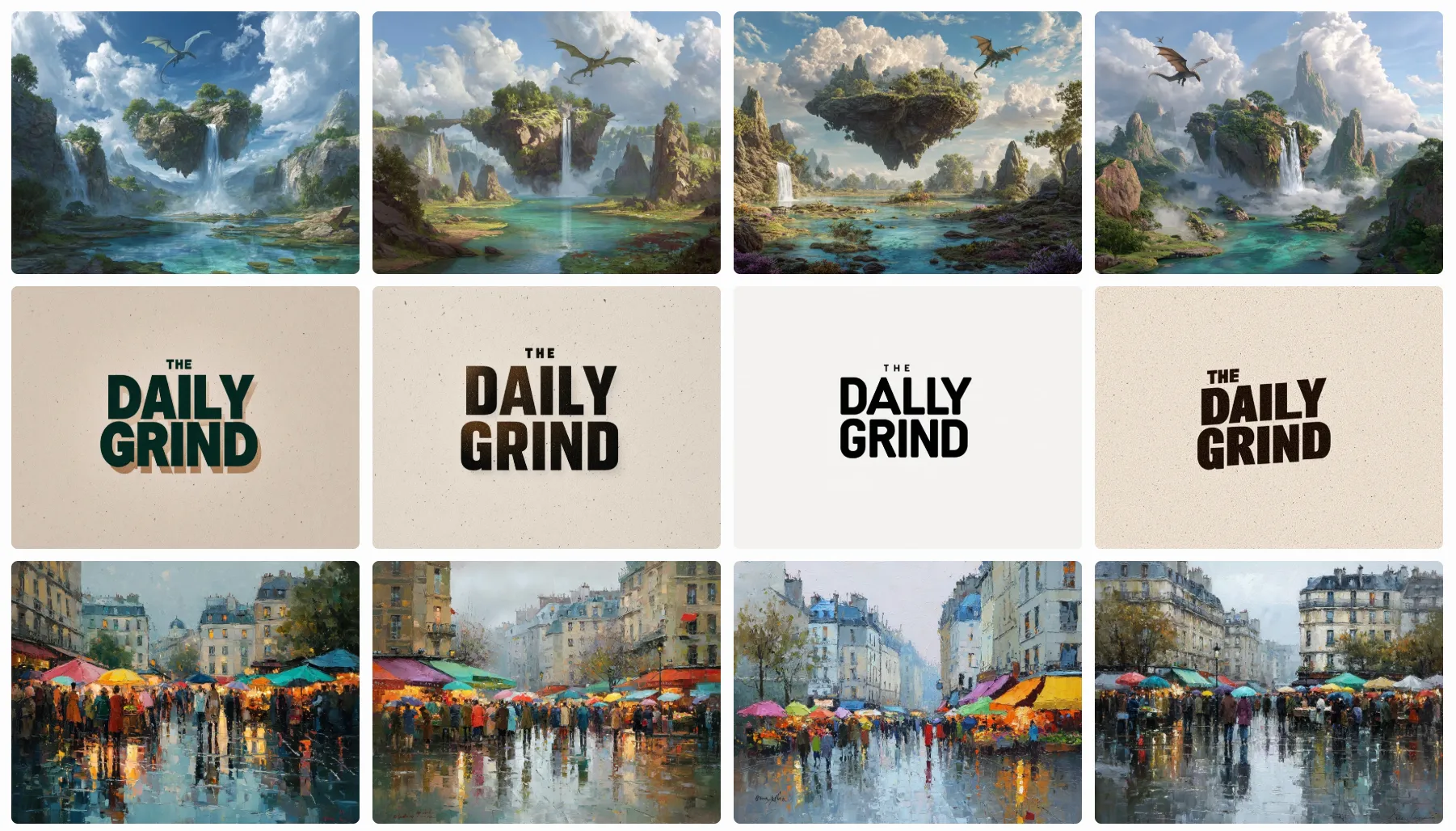
I went on to key in the rest of the prompts and here’s what I got. All the prompts generated 4 variations each, which was great to look at subtle nuances in what the model could change for the same prompt. For users looking for something super specific, I think this would definitely help provide more options.
Altogether, I think the images were decent. The fantasy landscape probably had the most issues regarding the dragons, since most of the image variations included more than one dragon, and this created some issues with scale. The coffee shop logo was nice with really modern fonts and showed a good range, though nothing too special. The oil painting was also not bad with different lightings, but I think the cobblestones here were not that obvious. It just looked like a wet normal street and pavement reflecting light.
What I Liked and What I Didn’t
Pros | Cons |
Stunning artistic quality and aesthetic output | No free tier available |
4 variations per prompt provide more options | Can sometimes misinterpret fine details in prompts |
Lots of customization settings before generating | Discord-based interface has a learning curve |
Pricing
•Basic Plan: $10/month ($8/month annually) for ~200 generations.
•Standard Plan: $30/month ($24/month annually) for unlimited relaxed-speed generations.
•Pro Plan: $60/month ($48/month annually) for more fast hours and stealth mode.
•Mega Plan: $120/month ($96/month annually) for 60 hours of fast GPU time.
3. Nano Banana Pro
Nano Banana Pro is where all the new hype is. As Google’s own image model built on Gemini 3 Pro, it’s positioned as a major player, especially for those already in the Google ecosystem. It’s completely free to use through Google Gemini, making it one of the most accessible options on this list.
Key Features
•Exceptional text accuracy: Claims to have 99% accuracy when rendering text in images.
•Fast generation times: Delivers results in seconds.
•Integrated with Google Gemini: Easily accessible through the Gemini app and Chrome browser.
•Completely free: No cost to use for Google users.
My Experience Testing Nano Banana Pro
Under Google Gemini’s interface, you can select the Create Image button which automatically triggers Nano Banana. There’s not much to this interface and prompt box, just the normal Gemini settings of choosing which kind of model answers if you want your answers “fast,” “thinking,” or “Pro.” Unlike the other more image-generation-focused tools, there aren’t many image-specific customization or settings in the main prompt box.
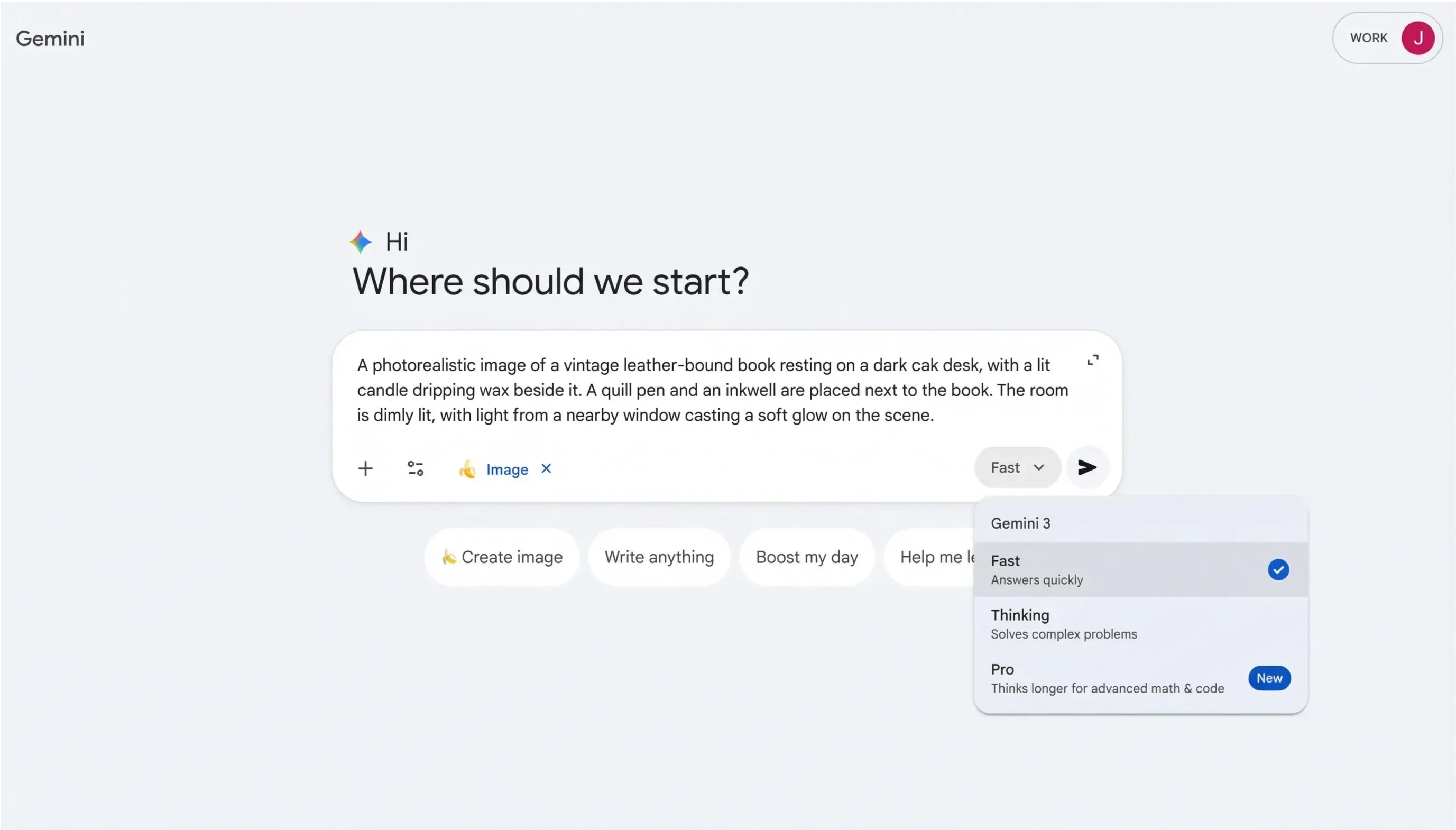
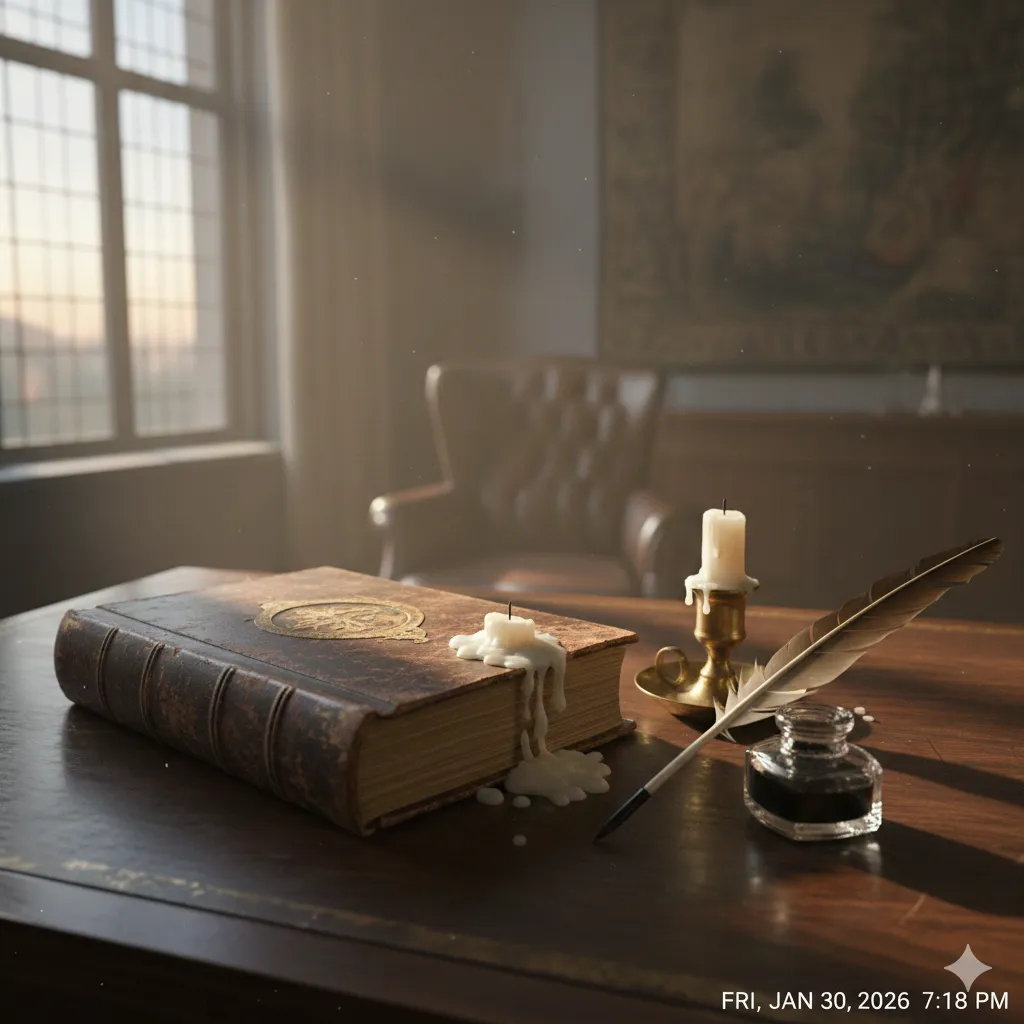
Given all the hype, I was excited to try Nano Banana Pro. Under the free version that I was on, I managed to generate a photo. The result was… interesting, to say the least.
With the exact same prompt given to Gemini using Nano Banana Pro, it did not catch quite a number of things from the prompt. Off the bat looking at the photo, you can see that the entire vibe and lighting is different from the rest. The candle is not lit, which the prompt explicitly asks for! This also speaks to the model’s ability to understand context. The lighting from the window looks like it is daytime outside and the sun is out, while other models understood that since the candle was lit, it was probably nighttime and managed to still nail the type of light coming in from the window.
While there was a candle beside the book with wax dripping, there was also another candle dripping wax on top of the book. This was not asked for and also not usual given the context. Furthermore, the quill pen, though included, was standing unnaturally on the table, not propped up by anything. Overall, actually pretty disappointing.
I then tried it out with the different prompts and here are the results. Like the initial leather book prompt, I think all the other generated images were just okay. They did get the main gist of the prompts, and if you didn’t look closely, they look similar to the images generated by the other tools.
The impressionist oil painting was not bad, but there were several parts of the painting that were not impressionist or oil painting style. There were very realistic and detailed elements included as well. The image was almost 50% oil impressionist and 50% not, which might not be what the user was looking for.
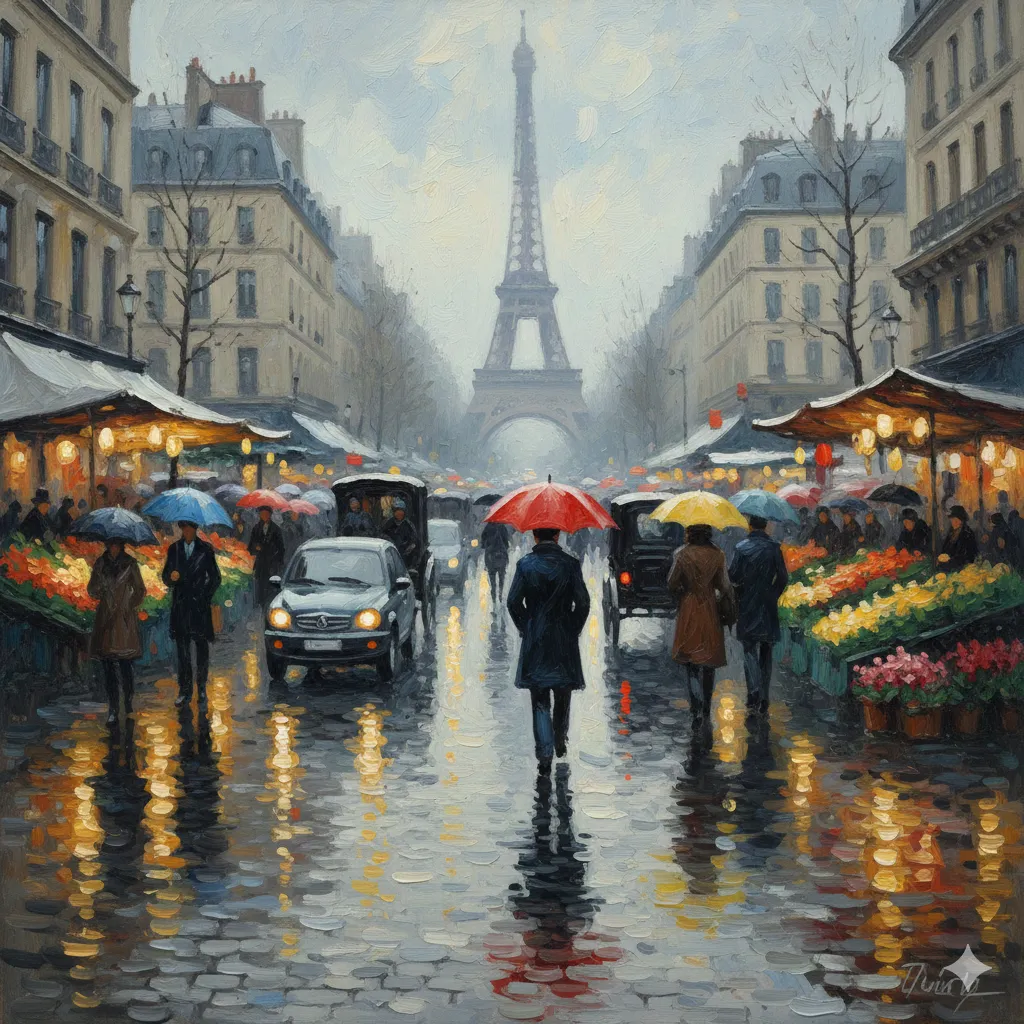
As for the fantasy landscape, it looked pretty good. The only criticism is probably the way the “crystal-clear lake” looked. It was a little confusing and messy the way the lake was reflecting so much and also showing what was under it, but overall okay.
The logo image was simple and acceptable, but also nothing special about it with the logo and the font. The attempt was definitely made with the logo being relatable to the brand and still minimalistic, and the underlining and changing of color was also an attempt to make it more “fun” and unique, but I would say a little boring.
What I Liked and What I Didn’t
Pros | Cons |
Completely free for Google users | Often misses key details and context from prompts |
Fast generation speeds | Images can feel generic and lack artistic flair |
Good at rendering text clearly | Inconsistent style within single images |
Pricing
•Free: Available at no cost through Google Gemini.
•Google AI Plus ($7.99/month): Enhanced access to Nano Banana Pro with more features.
•Google AI Pro ($19.99/month): Higher access within the Google AI ecosystem.
4. Adobe Firefly
For designers and creative professionals already invested in the Adobe Creative Cloud ecosystem, Adobe Firefly is a logical choice. Its biggest strength is its seamless integration with apps like Photoshop and Illustrator, along with its commitment to creating commercially safe images.
Key Features
•Seamless Adobe Creative Cloud integration: Easily move assets between Firefly and other Adobe apps.
•Commercially safe: Trained on licensed content from Adobe Stock, ensuring images are safe for commercial use.
•Advanced editing controls: Offers professional-grade features like Structure and Style Reference to fine-tune images.
•Multi-model support: Now integrates models from Google (Nano Banana), OpenAI, and others, all in one place.
My Experience Testing Adobe Firefly
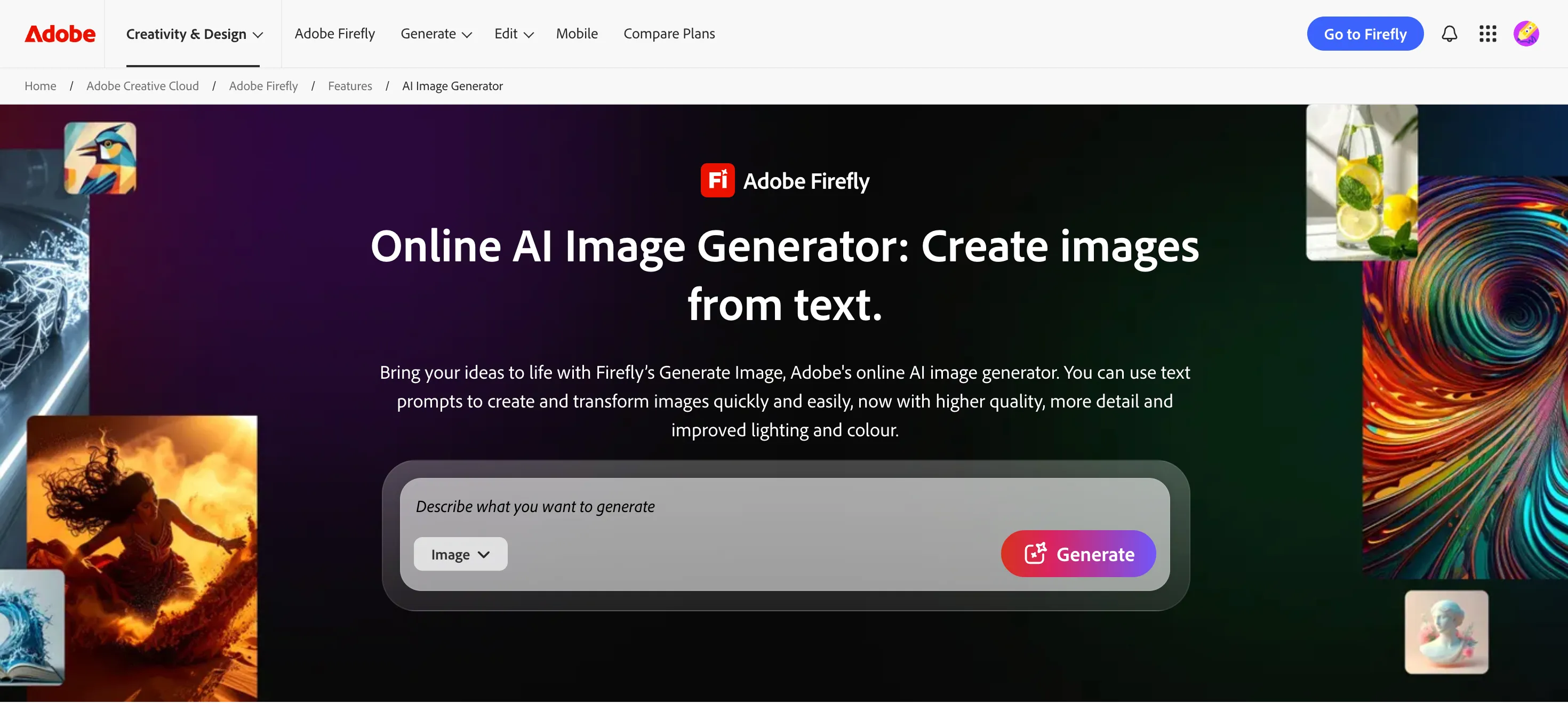
Adobe Firefly’s interface had a lot going on. Obviously, we know that this tool does a lot more than generate images, it does all kinds of things for creative tasks, manual to AI. So I navigated to the “Generate” tab on the banner above, and from the large list of dropdown options, I clicked on “Generate AI Image.”
The interface here on this page is pretty simple: a prompt box with only the options to choose which kind of media you wanted to generate (image or video). If you scrolled down, there were simple instructions on the tool and how it works. There was also a library and the option to remix some of the images to produce something of your own.
For the sake of this review, I stuck to the prompt box and keyed in the first prompt. It’s worth noting that only after I clicked generate, a page with more settings came up, and I realized it was using Gemini 2.5 Nano Banana as the chosen model.
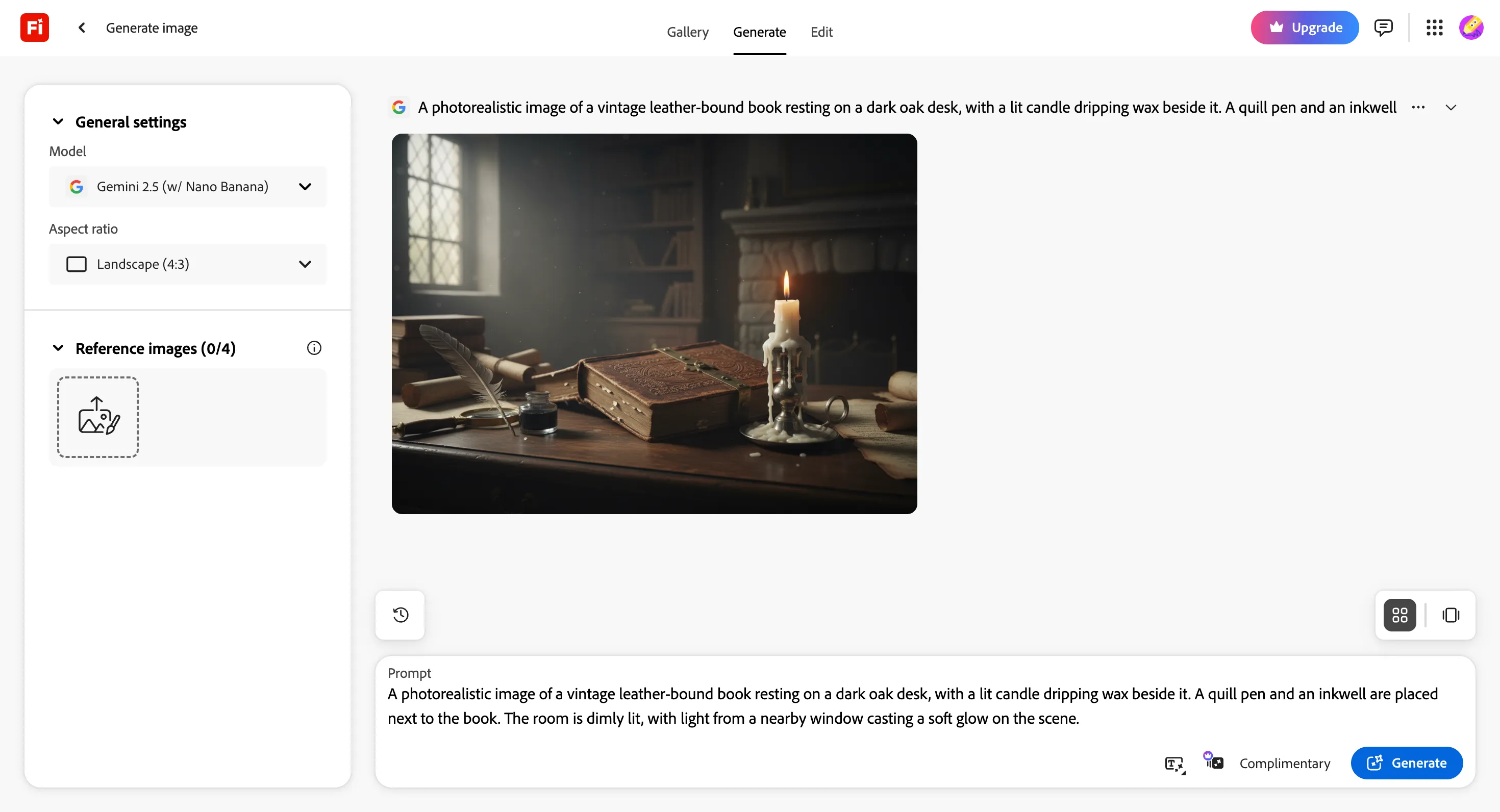
Since we already tested that, I wanted to see the original Firefly model to see how well it would do. The only options available under Adobe were Firefly Image 3 and 4, so I chose 4, the latest model. There were also Adobe Firefly Image 4 Ultra and Image 5 (Preview), but they needed me to upgrade my account to use them.
After picking Firefly Image 4 and clicking generate with the same prompt, I got 4 variations of the image. It was… decent. Main elements of the prompt were included, but all of the images lacked a little something here and there.
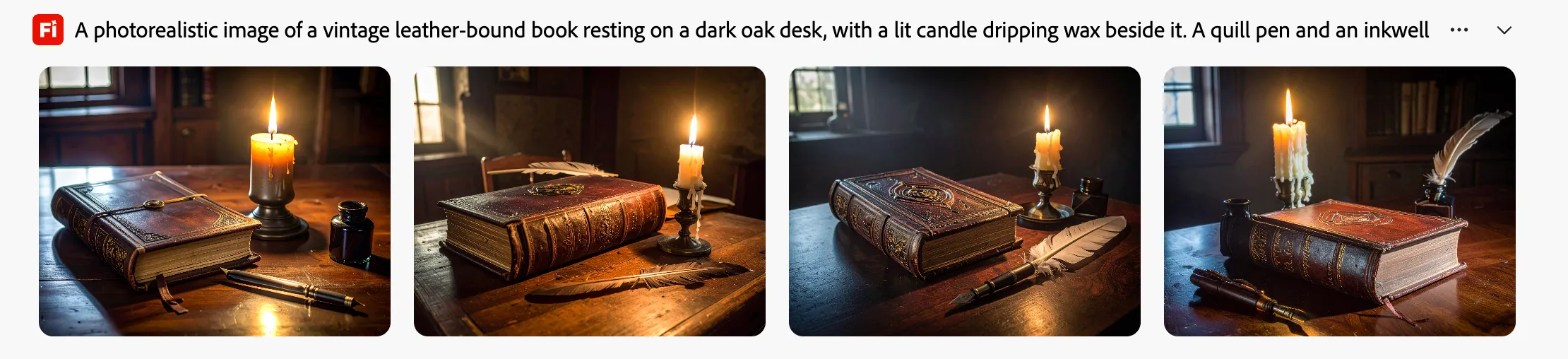
The first image missed the quill pen entirely. The second image missed the inkwell; the quill pen just looked like a quill without the pen, and there was another quill just floating behind the book. The third image was probably the best with everything included, but it was quite static in its placement and just looked a bit staged. Image 4 was not bad, it was way more natural and did include everything asked for, but it also included a little more with an extra inkwell behind and an additional fountain pen at the side, which again is not wrong but pretty specific to be adding to this rather simple visual.
For me, the best option would be to combine Image 3’s accuracy and simplicity of including all the right elements, and Image 4’s natural, more realistic interpretation where the quill pen was in the inkwell beside the book. Moving on to the other prompts, this was what Firefly produced.
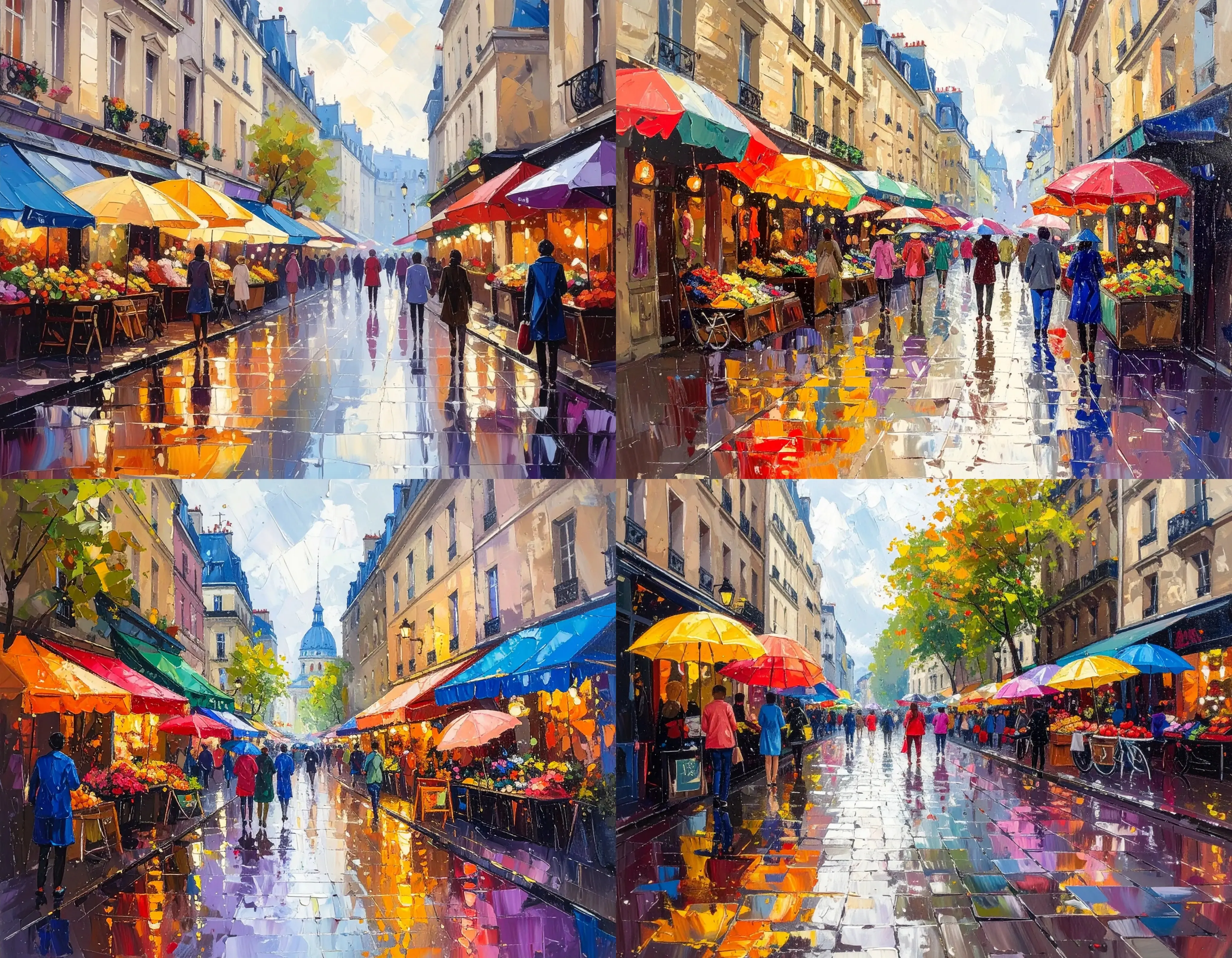
The results definitely showed one thing in common: Firefly could generate 4 images quickly but paid no attention to details at all. The impressionist painting was not bad. There was no specific reference to Paris here, and it did use oil painting from what I could see, but the impressionist style was not really adhered to. If you focused on the details, some of the umbrellas were either melded with the store awnings, and context here was missed.
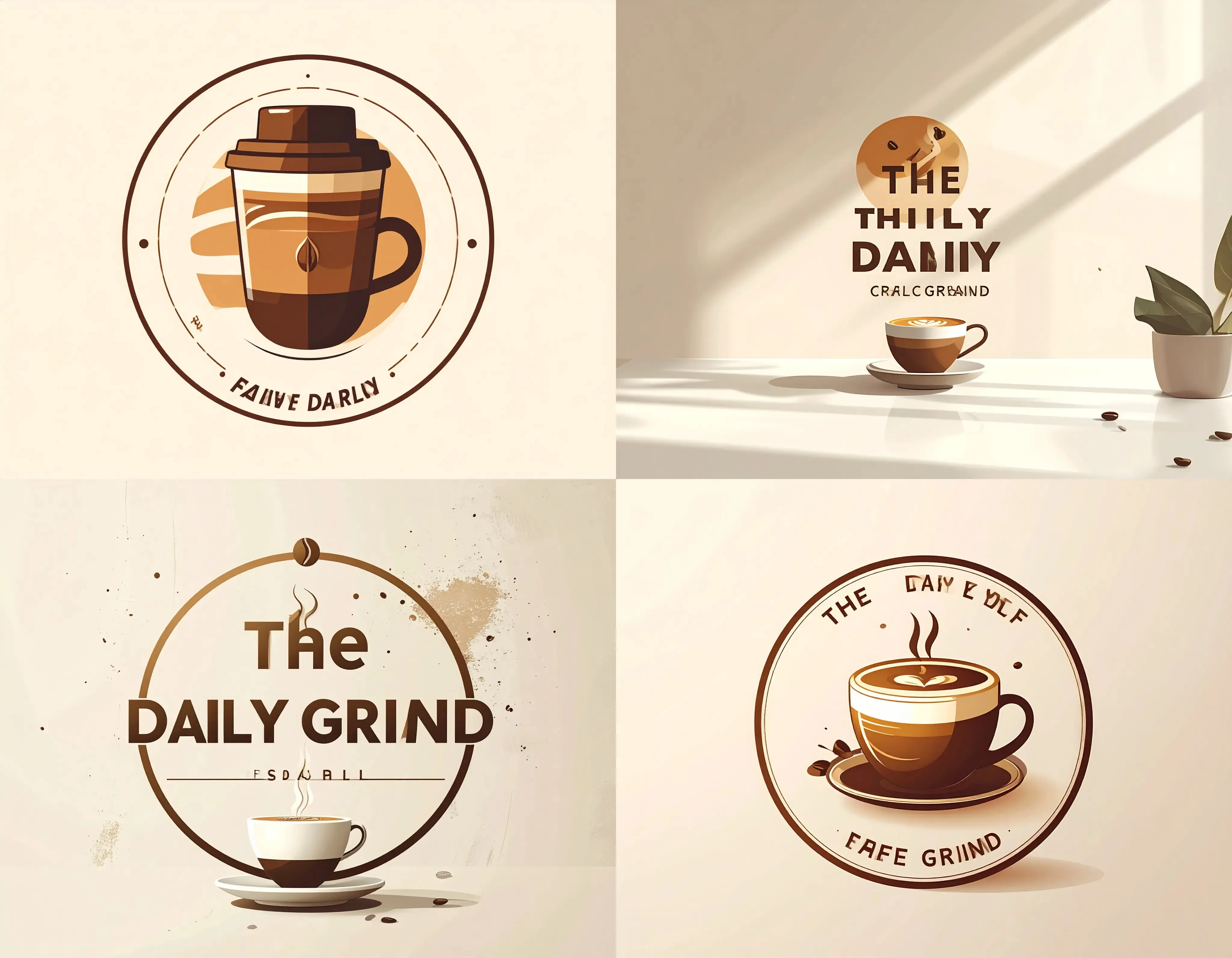
The Daily Grind logos were… messy. One of the few tools that provided the most variation in logo styles, but Firefly definitely cannot do text in images. It really struggled with simple words, spelling them wrong or just completely presenting an unknown mark or character.
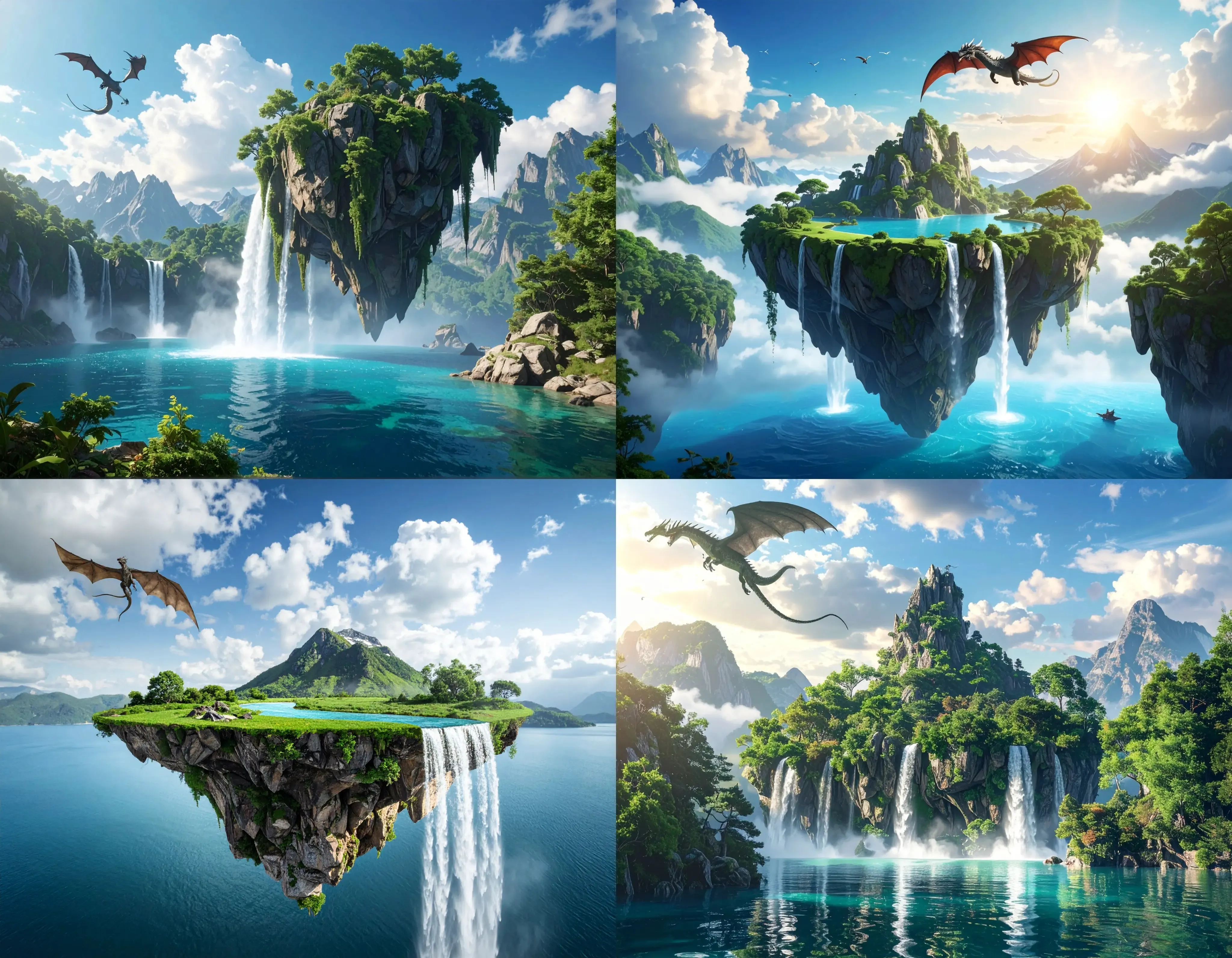
The fantasy landscape also had many missing points regarding either the water body represented or the contrasting styles within an image. And though dragons are magical and mythical, Firefly’s representation of them was definitely distorted and deformed.
What I Liked and What I Didn’t
Pros | Cons |
Excellent integration with Adobe Creative Cloud | Struggles with details and prompt accuracy |
Generates commercially safe images | Failed at rendering legible text in images |
4 variations per prompt provide options | Output can feel staged or “stock photo”-like |
Pricing
•Free Plan: Includes 25 generative credits per month.
•Standard Plan ($9.99/month): Comes with 2,000 monthly credits and unlimited access to standard image features.
•Pro Plan ($19.99/month): Offers 4,000 credits and includes access to Photoshop on the web and mobile.
•Premium Plan ($199.99/month): 50,000 credits with unlimited access to Firefly Video Model.
5. Manus
Manus takes a different approach with regards to AI Image Generation. Instead of being a dedicated image-only tool, it positions itself as an all-in-one AI platform for a wide range of creative and analytical tasks. Image generation is just one part of a much broader toolkit that includes in-depth research, content writing, and even slide creation. This makes it a great choice for content creators and marketers who need a single platform to manage their entire workflow.
Key Features
•All-in-one AI platform: Combines image generation with research, writing, and other creative tasks.
•Integrated workflow: Generate images as part of a larger project, maintaining context and consistency.
•Transparent reasoning process: Shows you the steps the AI is taking, giving you more insight and control.
•Project-based context: Keeps all your project files and information in one place for more consistent outputs.
My Experience Testing Manus
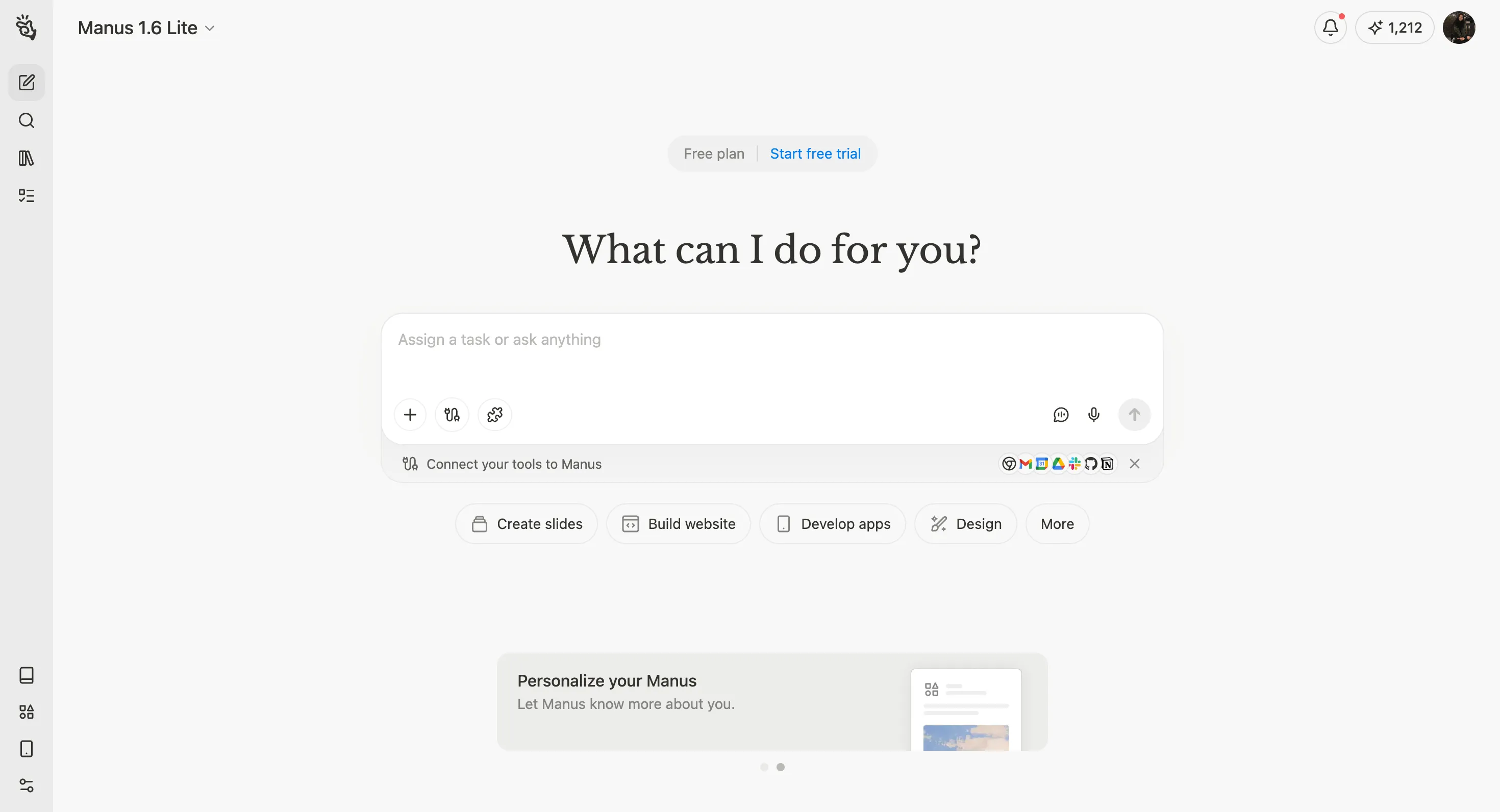
Logging in to Manus’ free plan, it was a basic prompt box with quite a few quick action buttons around it. I didn’t find one specific to image generation, but there was a design button and one for video. I went ahead to not select any of them and just entered the prompt straight into the box. On this free plan, I was using Manus 1.6 Lite.
The image generated was not bad at all! It was decent, seeing that everything the prompt mentioned was included in the image, from elements to mood. The only thing I could say about this is the quill pen, like some of the other tools, also stood a little unnaturally. Though it wasn’t levitating or standing upright, it does look a bit unnatural since it should be lying pretty flat if it wasn’t propped against something or put into a steady base.
With the other prompts, this was what I got from Manus. The Parisian market oil painting was honestly pretty good! It adhered to all the points in the prompt, and I could tell it was an oil painting. The only room for improvement here is that perhaps the oil painting strokes could have been more reflective and “oil-like,” but even without that, it was pretty obvious that it was an oil painting.
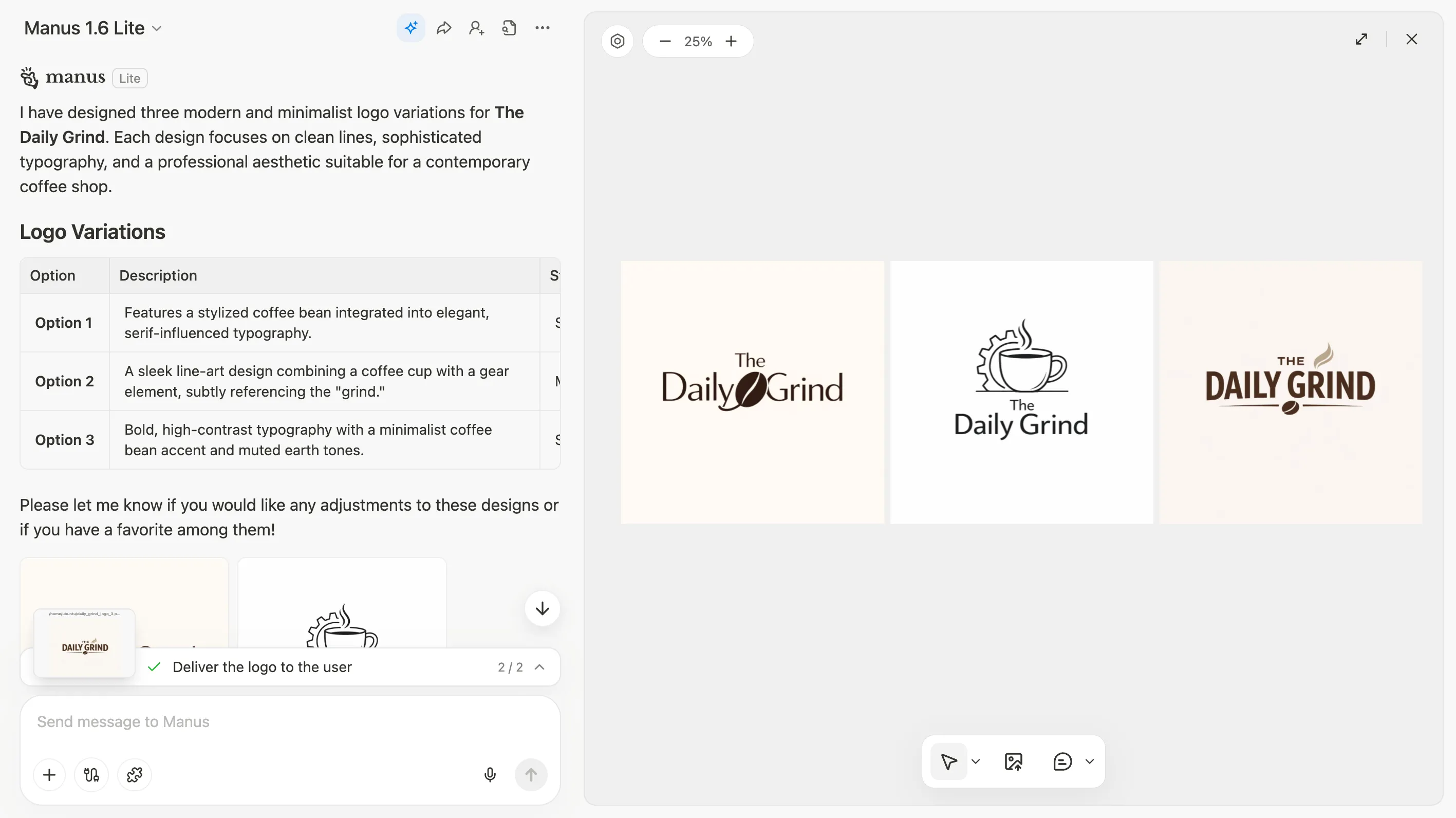
As for the Daily Grind logo, Manus decided to give me 3 different options to choose from and even provided an explanation on the style and description for each of these options. This really surprised me! I think they were not bad, definitely different in style from each other, but at the same time, I also wouldn’t say that the designs were particularly fun and unique. The fonts and the icons were all pretty generic, but the attempt was definitely there. So perhaps more detailed prompting had to be done for more aligned results.
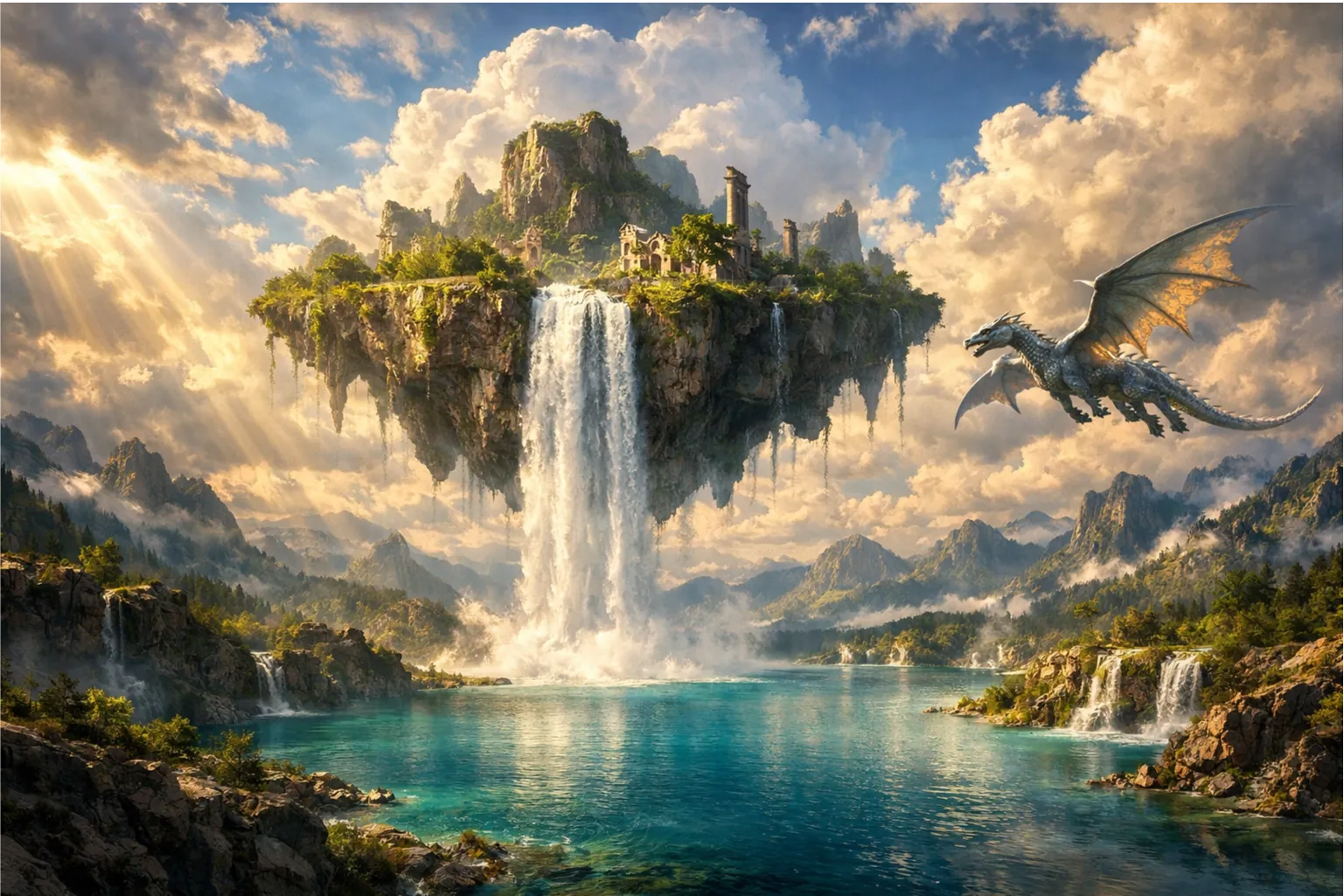
The fantasy landscape was not bad as well. Super high definition, but the lake could have been more “crystal clear.” Especially since there were so many minute details, I think it did attempt to show the clearness of the lake with the different shades of the corals and rocks under the water.
What I Liked and What I Didn’t
Pros | Cons |
Integrated with a broader suite of creative and research tools | Not a dedicated image-only tool |
Provides multiple options and explanations for creative tasks | Designs can be a bit generic without detailed prompting |
Great at understanding context and following prompts | Slower generation compared to other image generation specific tools |
Pricing
•Free Plan: Includes 300 refresh credits every day, making it a very generous free offering.
•Standard Plan ($20/month): 4,000 credits per month.
•Plus Plan ($39/month): 8,000 credits per month.
•Max Plan ($200/month): 40,000 credits per month.
Side-by-Side Image Comparison
Seeing is believing, so here’s a look at how all five tools handled the same prompt for the photorealistic book scene. This really highlights the different strengths and weaknesses of each generator.
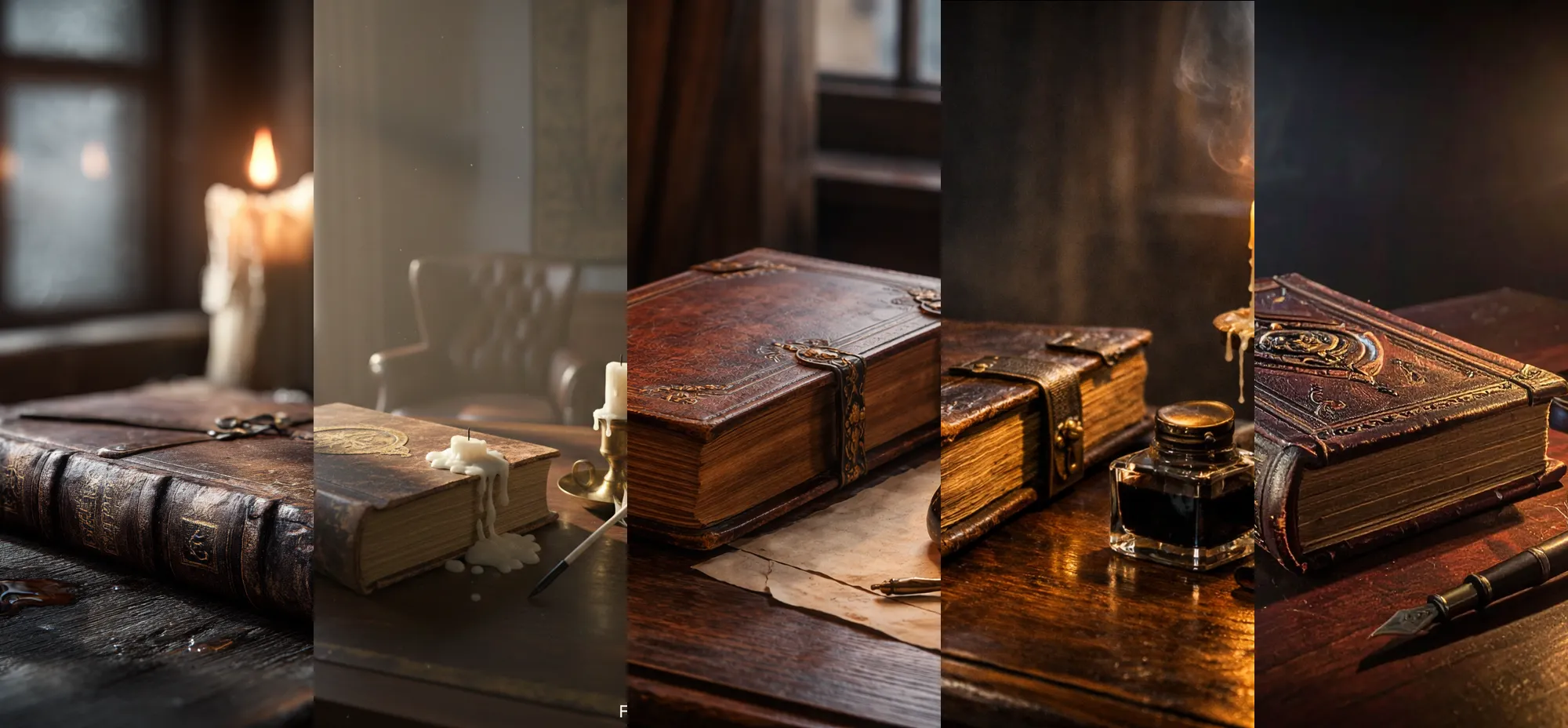
ChatGPT and Manus delivered the most balanced and accurate results, closely matching the prompt’s mood and details. Midjourney’s output is undeniably artistic and visually striking, even if it took some creative liberties. Adobe Firefly produced a decent image but missed some key elements, while Nano Banana Pro struggled the most with capturing the correct lighting and avoiding unnatural-looking objects.
How to Choose the Right AI Image Generator
With so many great options available, choosing the right one comes down to your specific needs, budget, and skill level. Here’s a quick guide to help you decide.
Consider Your Budget
If you’re looking for a free AI image generator, you have several excellent choices. Nano Banana Pro is completely free through Google Gemini, and Manus offers a generous free plan with daily credits. ChatGPT and Adobe Firefly also have free tiers, though with more limitations. If you’re willing to pay for premium quality, Midjourney’s $10/month basic plan is a great value for artists, while ChatGPT Plus at $20/month is a fantastic all-around investment.
Consider Your Skill Level
For beginners, nothing beats the simplicity of ChatGPT or Manus. Their conversational interfaces make them incredibly intuitive. Nano Banana Pro is also very easy to use. For intermediate users who want more control, Adobe Firefly offers a deeper set of professional tools. For advanced users who want to fine-tune every aspect of their images, Midjourney’s detailed parameter controls are unmatched.
Consider Your Use Case
•For general-purpose image creation: ChatGPT (GPT-4o) and Manus are both versatile and reliable options.
•For artistic projects and stunning visuals: Midjourney is the go-to choice.
•For creating logos or images with text: Nano Banana Pro is the best choice due to its superior text rendering.
•For professional designers in the Adobe ecosystem: Adobe Firefly offers seamless integration and commercially safe images.
•For content creators who need an all-in-one tool: Manus is perfect for integrating image generation with research and writing.
Final Verdict: Which AI Image Generator Should You Choose?
After weeks of hands-on testing, it’s clear that there’s no single “best” AI image generator for everyone. The right choice depends entirely on what you want to create. However, based on my experience, I can offer some clear recommendations.
ChatGPT (GPT-4o) and Manus were my top winners. They produced high-quality images that adhered most closely to the prompts, were the most intuitive in trying to understand context from the prompt without explicitly describing it, and also without overdoing it. If you want ease of use and reliable results, either of these is a great choice.
If you’re an artist or designer who prioritizes aesthetic quality above all else, Midjourney is worth every penny. For anyone who needs to create images with clear and accurate text, or for those deeply integrated into the Google ecosystem, Nano Banana Pro is the obvious choice, and it’s free.
For professionals working within the Adobe suite, Adobe Firefly provides a powerful, integrated, and commercially safe workflow. And for content creators and marketers who need more than just an image generator, Manus offers a compelling all-in-one platform that seamlessly combines image creation with research and writing.
The best way to find your favorite is to try them out for yourself. With so many excellent free options available, there’s never been a better time to start bringing your ideas to life!
Frequently Asked Questions About AI Image Generators
What is the best free AI image generator?
Based on my testing, Manus offers the best combination of quality and a generous free plan with daily refresh credits. Nano Banana Pro is also a great free option, especially if you need to render text in your images. ChatGPT and Adobe Firefly both have solid free tiers as well.
Can I use AI-generated images for commercial purposes?
In most cases, yes, but you should always check the terms of service for each tool. Adobe Firefly stands out by training its model on licensed content, making its images commercially safe by design. Other tools generally grant you commercial rights to the images you create, especially on paid plans.
Which AI image generator is the most realistic?
ChatGPT (GPT-4o) and Manus both produced highly realistic images that closely followed the prompts. They were the most consistent in creating photorealistic scenes with accurate details and lighting.
What is Nano Banana Pro?
Nano Banana Pro is Google’s latest AI image generator, built on the powerful Gemini 3 Pro image model. It’s known for its exceptional text rendering capabilities, fast generation times, and free availability through Google Gemini.
How do AI image generators work?
Most modern AI image generators use a technology called diffusion models. These models are trained on massive datasets of images and text. They start with a field of random noise and gradually refine it, step-by-step, based on the text prompt you provide, until a coherent and detailed image emerges.
Is Midjourney better than ChatGPT for images?
It depends on your needs. Midjourney is better for creating artistic, stylized, and visually unique images, which is why it’s a favorite among designers. ChatGPT is easier to use, better at following complex prompts with specific details, and more versatile for a wider range of everyday tasks. Manus also performs similarly to ChatGPT in terms of prompt accuracy and quality.